We’ve all experienced it…you walk into a meeting room and there are cables all over the place… a couple on the table, a couple under the table, maybe one dangling from the projector or display. You place your laptop on the conference room table and ask, “which cable do I use to connect my presentation?” Your colleague just stares back blankly… Great, this meeting is off to a wonderful start…
The problem is exacerbated when you have multiple people all trying to share content. A poorly implemented meeting room that is difficult for one presenter to use efficiently is near impossible for multiple participants. Enter TechLogix…
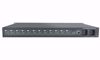
TechLogix Share-Me™ Series table inserts redefine the usability, versatility and cost of huddle room, meeting room and classroom collaboration. When paired with a compatible presentation switcher, the Share-Me™ Series system provides both AV switching and display control for the cost of most 40" displays.
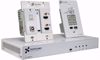
Table inserts provide connectivity for sources such as laptops and tablets, as well as display on/off and source selection control that is simple enough for any user to understand with virtually no training. With just one of two simple buttons, anybody using the room can turn on and off the display. The other button is the Share-Me™ button which immediately switches to the input on that specific grommet.

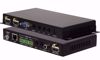
The TL-SMG-4C is a table-mounted controller that is compatible with TechLogix Share-Me™ switchers (TL-SM3C-HD and TL-SM3C-HDV). It adds volume, mute, and display control to a Share-Me™ system.
Simply install the TL-SMG-4C into your conference table, then connect it to the Share-Me™ switcher using the included cable. The buttons will automatically control the display to which you are connected... no programming or configuration needed!
Compatible switchers use CEC protocol (by default), which is standard on most consumer-grade flat panel displays. Other displays like commercial LCD's or projectors can be controlled by IR or RS232, which is easily configured from the Share-Me™ switcher's web page.
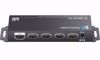
Alternatively, the TL-SMG-4CP (with power supply) can be used as a standalone controller that can be connected directly to your display, giving you all the controls you need without expensive touchpanels or programming.


We’ve all experienced it…you walk into a meeting room and there are cables all over the place… a couple on the table, a couple under the table, maybe one dangling from the projector or display. You place your laptop on the conference room table and ask, “which cable do I use to connect my presentation?” Your colleague just stares back blankly… Great, this meeting is off to a wonderful start…
The problem is exacerbated when you have multiple people all trying to share content. A poorly implemented meeting room that is difficult for one presenter to use efficiently is near impossible for multiple participants. Enter TechLogix…
TechLogix Share-Me™ Series table inserts redefine the usability, versatility and cost of huddle room, meeting room and classroom collaboration. When paired with a compatible presentation switcher, the Share-Me™ Series system provides both AV switching and display control for the cost of most 40" displays.
Table inserts provide connectivity for sources such as laptops and tablets, as well as display on/off and source selection control that is simple enough for any user to understand with virtually no training. With just one of two simple buttons, anybody using the room can turn on and off the display. The other button is the Share-Me™ button which immediately switches to the input on that specific grommet.

We’ve all experienced it…you walk into a meeting room and there are cables all over the place… a couple on the table, a couple under the table, maybe one dangling from the projector or display. You place your laptop on the conference room table and ask, “which cable do I use to connect my presentation?” Your colleague just stares back blankly… Great, this meeting is off to a wonderful start…
The problem is exacerbated when you have multiple people all trying to share content. A poorly implemented meeting room that is difficult for one presenter to use efficiently is near impossible for multiple participants. Enter TechLogix…
TechLogix Share-Me™ Series table inserts redefine the usability, versatility and cost of huddle room, meeting room and classroom collaboration. When paired with a compatible presentation switcher, the Share-Me™ Series system provides both AV switching and display control for the cost of most 40" displays.
Table inserts provide connectivity for sources such as laptops and tablets, as well as display on/off and source selection control that is simple enough for any user to understand with virtually no training. With just one of two simple buttons, anybody using the room can turn on and off the display. The other button is the Share-Me™ button which immediately switches to the input on that specific grommet.

We’ve all experienced it…you walk into a meeting room and there are cables all over the place… a couple on the table, a couple under the table, maybe one dangling from the projector or display. You place your laptop on the conference room table and ask, “which cable do I use to connect my presentation?” Your colleague just stares back blankly… Great, this meeting is off to a wonderful start…
The problem is exacerbated when you have multiple people all trying to share content. A poorly implemented meeting room that is difficult for one presenter to use efficiently is near impossible for multiple participants. Enter TechLogix…
TechLogix SM Series table inserts redefine the usability, versatility and cost of huddle room, meeting room and classroom collaboration. When paired with a compatible presentation switcher, the SM Series system provides both AV switching and display control for the cost of most 40" displays.
Table inserts are available for HDMI, VGA and DisplayPort source devices, providing connectivity for sources such as laptops and tablets, as well as display on/off and source selection control that is simple enough for any user to understand with virtually no training.
Simply put, an entire meeting can be run with only two buttons: an "on/off" button which turns the switcher and the display on or off, and a "show-me" button which switches the active input channel to the table insert on which the button was pressed.
The system also features automatic switching for sources that are not connected to the table inserts, such as media players, fixed PCs, or document cameras. When a source is connected and/or powered on, the system will recognize the input and automatically switch to that channel.
The TechLogix SM Series is also designed for an extremely quick installation. Simply mount the switcher under the podium or conference room table, mount the table inserts in pre-cut holes sized from 36mm through 60mm, and connect the table inserts to the switcher using standard AV cables (HDMI, DisplayPort, or VGA) and a 3.5mm cable. All power and control commands are sent from the table inserts to the switcher via the 3.5mm cable, and all display on/off commands are sent from the switcher to the display via CEC over an HDMI cable.